
Understanding Neck and Shoulder Pain While Working from Home and How Ergonomics Can Help

As remote work becomes the norm, many people are transitioning from conventional offices to their home workspaces. Unfortunately, this change often leads to a familiar yet underestimated problem: neck and shoulder pain. If you find yourself adjusting your position frequently or feeling discomfort during video calls, you're certainly not alone.
This post explores the reasons behind this pain and how optimising your workspace ergonomics can dramatically enhance your comfort and productivity.
The Importance of a Proper Work Setup
When settling in for a day of work, you might be tempted to choose a relaxed spot on the couch or a chair that seemed comfortable at first. However, such choices can result in strained muscles and joints. Maintaining good posture through a proper desk setup is vital to reducing discomfort in your neck and shoulders.
Creating an ergonomic workspace can prevent pain and boost your overall work efficiency. Research shows that ergonomic workplaces can increase productivity by up to 25%. Investing in the right setup is not just about comfort; it is about working smarter.
Are You Using a Laptop Stand?
Many remote workers depend on laptops, yet few think about elevating their screens to eye level. Working directly from a laptop often forces you to slouch, straining your neck and shoulders over time.
Utilising a laptop stand can significantly alleviate this problem. For example, a stand elevating your laptop by just six inches can help you maintain better posture. This simple adjustment keeps your neck aligned and diminishes the tendency to lean forward, ultimately reducing discomfort.

Is Your Monitor at the Right Height?
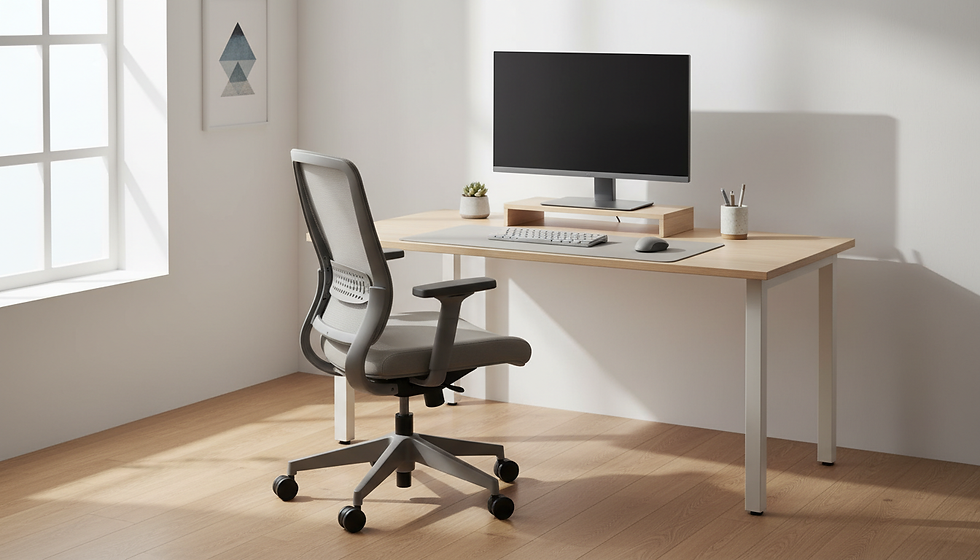
For those lucky enough to use a monitor, its positioning is crucial. The top edge of the screen should generally be at or just below eye level. This alignment allows you to look at the screen without tilting your head, helping you maintain a neutral neck position.
If your monitor is too low, you may find yourself looking down or leaning in closer, which can lead to neck strain. Adjusting the height of your monitor can lead to a 20% reduction in neck and shoulder pain in just a few weeks.

Is Your Desk Set Up Correctly?
Desk ergonomics go beyond screen height; the desk's height matters for your body position while working. Your chair and monitor setup might be perfect, but an improperly sized desk can lead to pain.
To ensure an effective desk setup, keep these considerations in mind:
Chair Height: Your feet should rest flat on the floor, and your knees should form a 90-degree angle.
Forearm Position: Your elbows should stay close to your body, creating another 90-degree angle while typing. Raised arms can strain your shoulders.
By evaluating these elements carefully, you can significantly decrease the likelihood of neck, shoulder, or even back pain.

The Role of Frequent Breaks
Taking breaks is a crucial factor in preventing neck and shoulder pain while working from home. It is easy to get absorbed in work, but sitting for extended periods places added stress on your muscles.
Incorporating short, regular breaks can help. Consider these strategies:
Set a Timer: Use a timer to remind yourself to stand up and stretch every 30 to 60 minutes. This simple action can enhance blood flow and reduce tension.
Practice Simple Stretches: Incorporate neck rolls, shoulder shrugs, and arm stretches into your routine. These exercises not only alleviate tension but also renew your focus.
The Benefits of Ergonomics for Office Workers
Investing in a well-designed ergonomic workspace delivers benefits that go beyond mere comfort. Research indicates that proper ergonomics can enhance productivity by 10 to 20%. When discomfort is minimised, you can concentrate better, work more efficiently, and achieve your goals.
Moreover, cultivating an ergonomic environment can help prevent long-term health issues, such as chronic back pain and carpal tunnel syndrome.
Your Road to a Healthier Workspace
Understanding why you may be experiencing neck and shoulder pain empowers you to enhance your workspace. By prioritising a proper desk setup, utilising a laptop stand, and ensuring your monitor sits at eye level, you can create a healthier and more productive work environment.
Remember, even small adjustments can lead to substantial improvements. By taking charge of your workspace setup, you can minimise distractions from discomfort, allowing you to focus on your tasks more effectively. Adopting good ergonomics is not just a choice; it is an investment in your health and well-being.
Make your work-from-home experience as comfortable as it can be. Your body and mind will thank you for it.


Comments